
blog
Prepare Windows 10 Start Menu for all computers in Active Directory
Windows 10 in my humble opinion is very good system. It has it's pros and cons but so does each system. It's not perfect but it never will be. One of those things that bother me a lot is Windows Start Menu with all those apps there. Fortunately there is a way to prepare Windows 10 Start Menu for** all computers in Active Directory** so that it always looks the same (support will thank you for this) and will contain necessary elements for users to work on.
🔹 How to apply start menu settings via GPO
This is how the start menu looks like when Windows 10 was installed…
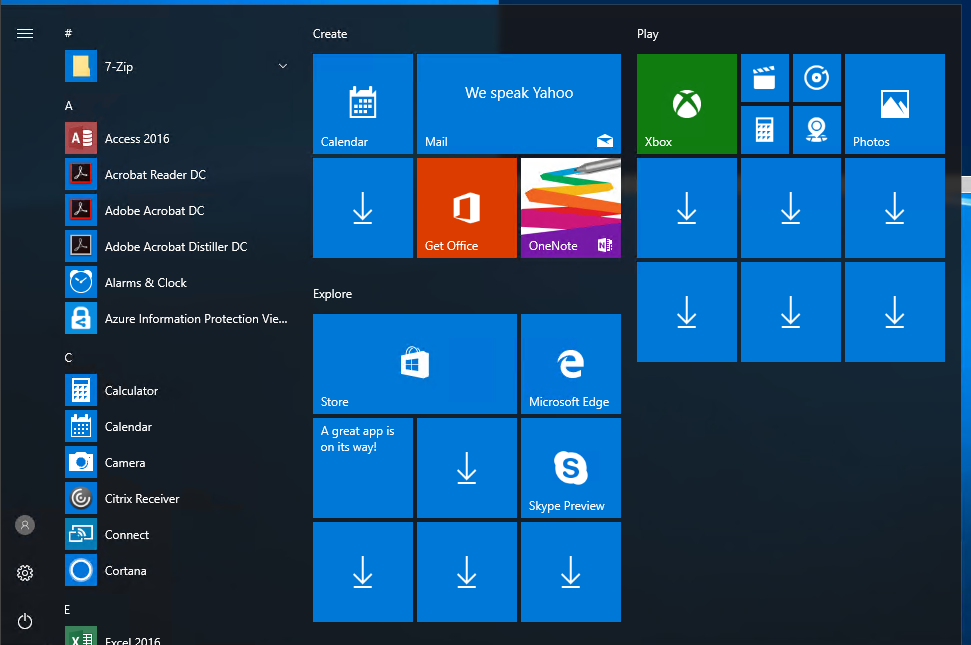
- Now that one is ugly thing. Lots of apps, that shouldn't be there. The way to go forward is to make sure the Start Menu looks like you want it to look like
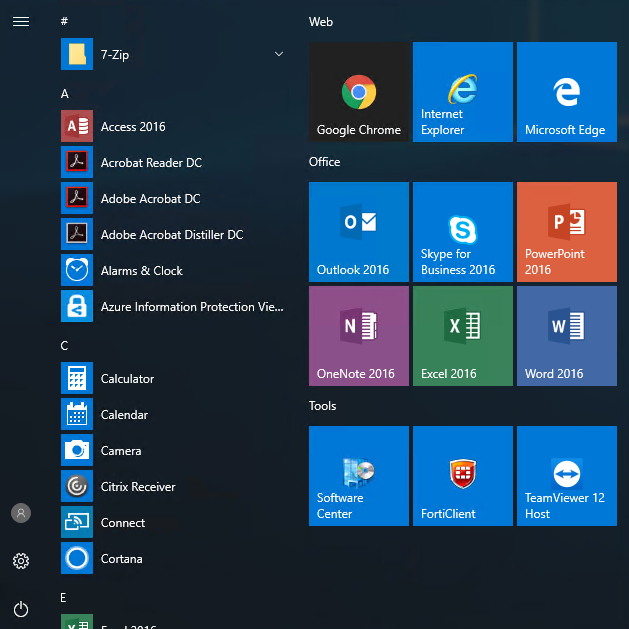
- Then simply export the start menu layout to .xml via powershell (if you will get error check bottom of the this post)
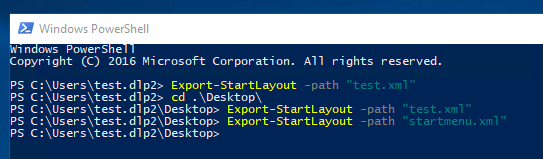
PS C:\Users\test.dlp2> Export-StartLayout -path "test.xml"
PS C:\Users\test.dlp2> cd .\Desktop\
PS C:\Users\test.dlp2\Desktop> Export-StartLayout -path "test.xml"
PS C:\Users\test.dlp2\Desktop> Export-StartLayout -path "startmenu.xml"
PS C:\Users\test.dlp2\Desktop>
- Put exported file in a place that is always available to the users. In my case I usually use NETLOGON folder for that kind of setup: \domain.name\NETLOGON\Configs\startmenu.xml
- And finally create Group Policy that will force it thru to the users.
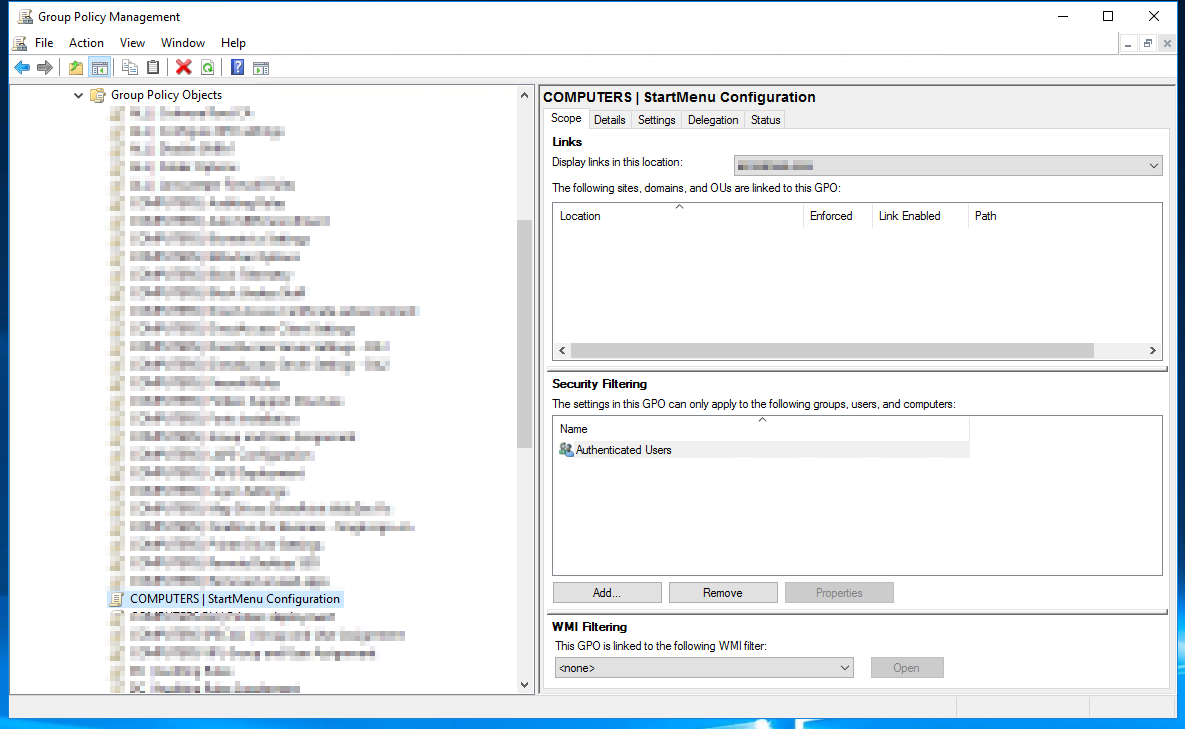
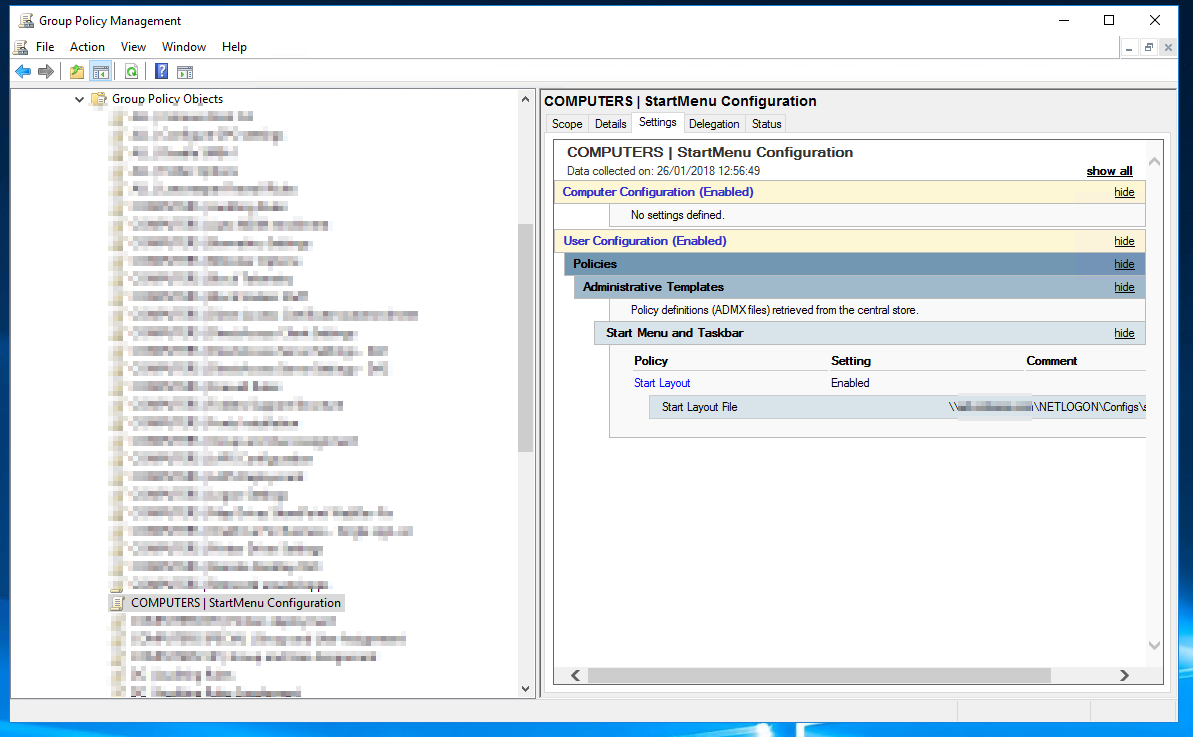
- Remember that this is purely Users GPO so it has to be applied to Users, and not Computers. The GPO is available under: User Configuration -> Policies -> Administrative Templates
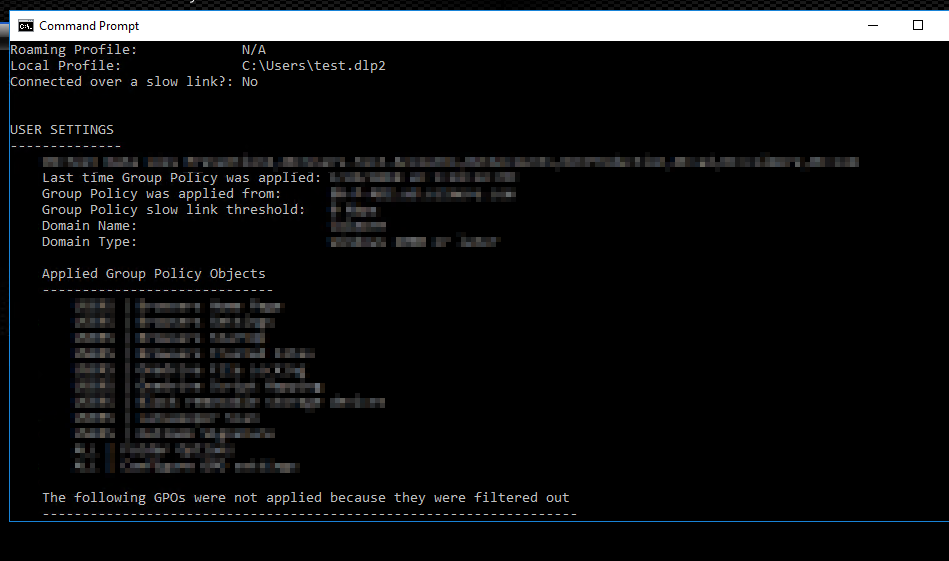
- After creating GPO run **gpupdate /force **on the test computer and confirm with **gpresult /R **that policy is actually applied to this user.
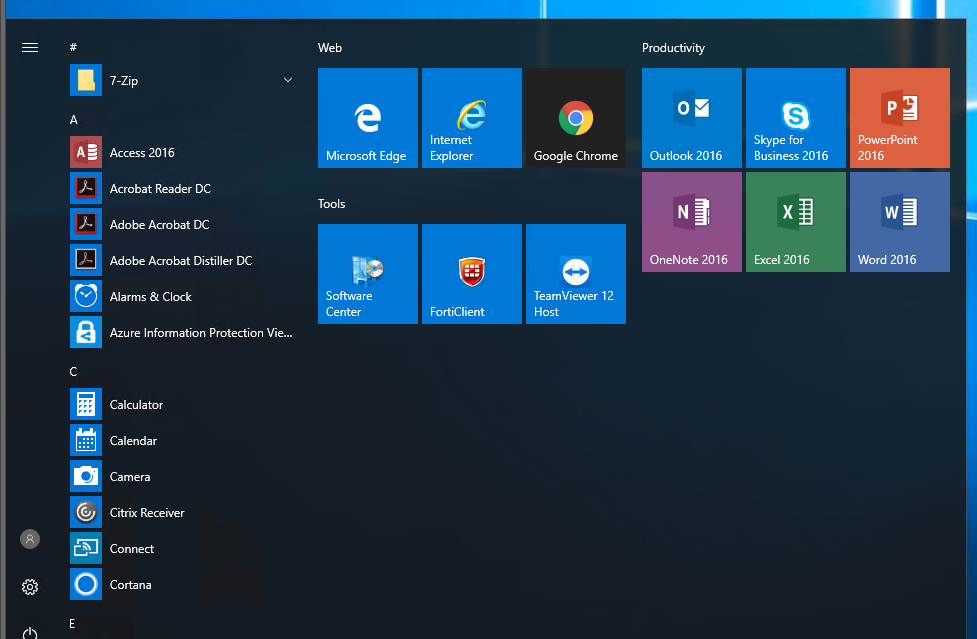
- Finally logout to enjoy the nice and prepare Start Menu (although in my case the layout was a bit different)
🔹 How to make start menu editable by users
While above method is great and you can personalize start menu for all users in your company it may impact users productivity because user may use special software or other things that he wants to have pinned to his start menu. It's actually quite easy.
Now that we have the startmenu.xml file exported, all we have to do edit it and change one line
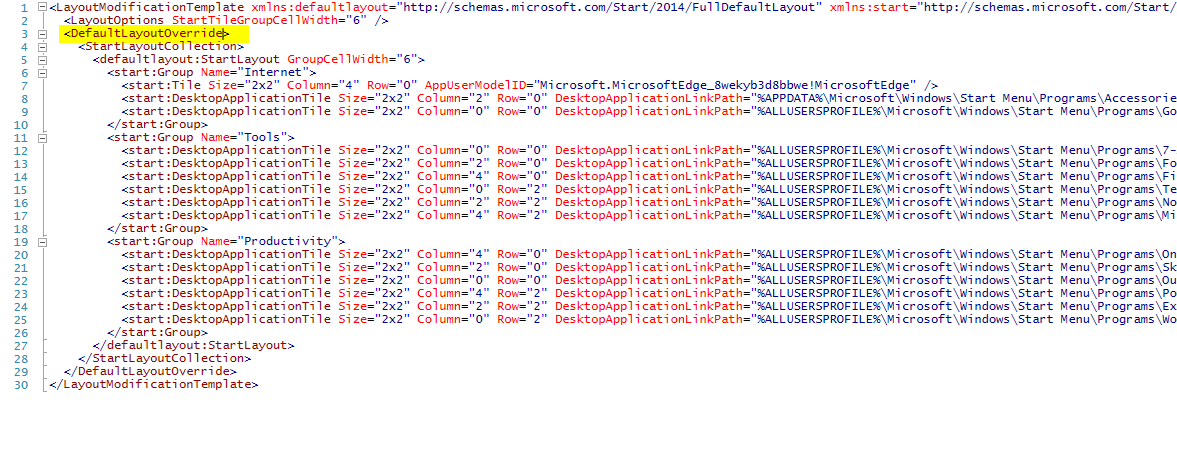
Has to be changed to into this:
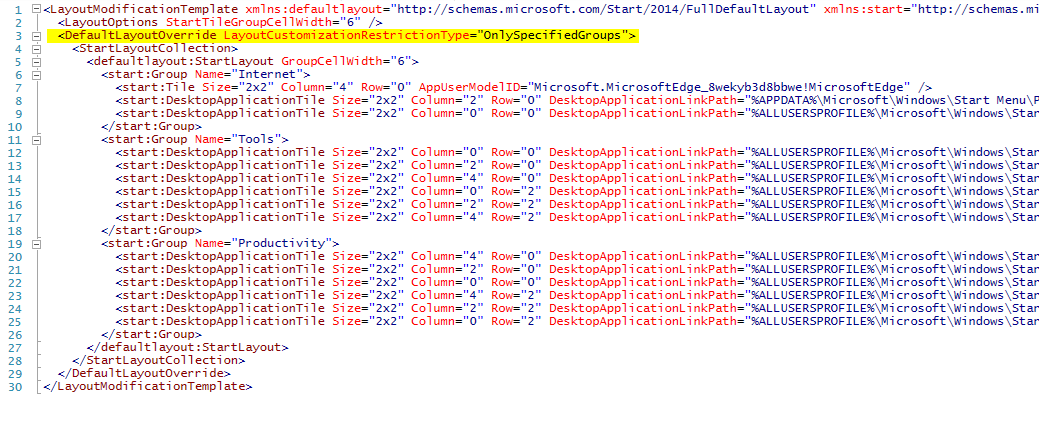
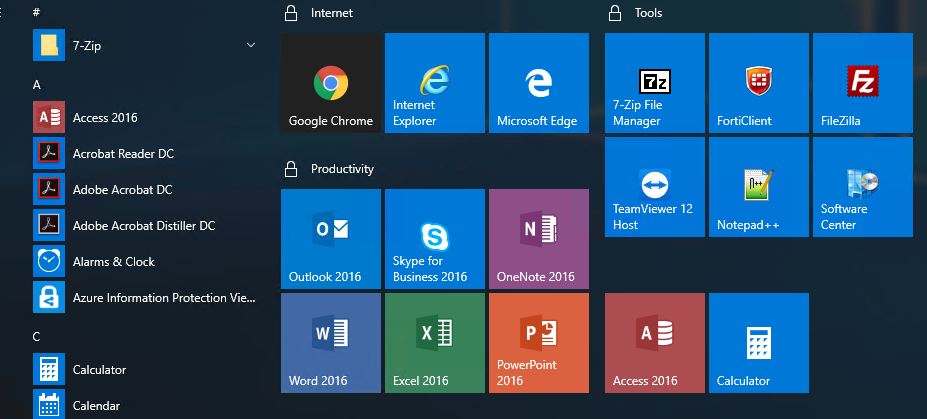
Just by adding LayoutCustomizationRestrictionType=”OnlySpecifiedGroups” into DefaultLayoutOverride you will make Start Menu with your changes static, but still allow user to modify other parts of it (or rearrange it). The only difference would be **padlocks **on sections users can't modify. Otherwise they can add their icons and modify start menu.
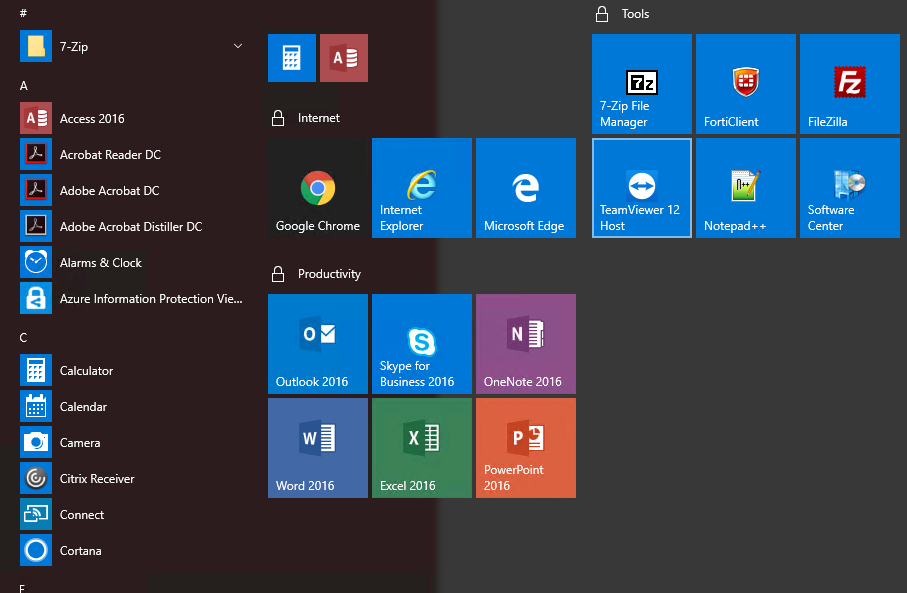
Or even rearrange it if that's what they want (in limited way)
🔹 How to revert start menu settings to defaults after applying them via GPO
To revert start menu setup by Group Policy (GPO) one just have to remove assignment of the GPO from the users, run** gpupdate /force** and finally relogin.
📝 Notes
If you're hitting problems with exporting the start layout like this one:
PS C:\Users\test.dlp2\Desktop> Export-StartLayout -path 'start.xml'
Export-StartLayout : The parameter is incorrect.
Thrown exception in StartTileData.dll
At line:1 char:1
+ Export-StartLayout -path 'start.xml'
+ ~~~~~~~~~~~~~~~~~~~~~~~~~~~~~~~~~~~~
    + CategoryInfo          : NotSpecified: (:) [Export-StartLayout], ArgumentException
    + FullyQualifiedErrorId : System.ArgumentException,Microsoft.Windows.StartLayout.Commands.ExportStartLayoutCommand

You can try one of those 4 solutions (or all of them):
- Rename “Office” to “Productivity” – in my case I've created group named Office and after renaming it to something different it helped
- Make sure you have at least 1 tile – you simply can't have empty start menu
- Make sure your first tile is Edge tile – you may want to avoid putting IE as first
- Logout after fixing StartMenu – sometimes the changes you did may look a bit different after relogin